
QuickBooks Online is a hospital cafeteria: everyone agrees it’s where you eat, nobody claims it’s good, and the real decision isn’t whether to eat there but who your doctor is. Your accountant picked QBO twelve years ago for the same reason their accountant did. The software is less the product than the shared vocabulary — Chart of Accounts mapped to the IRS’s classifications, COGS handled correctly for US tax law, every bank feed in the country speaking the same protocol. It’s the default because it’s the default, and leaving the default is genuinely expensive.
I ran QBO Simple Start on a solo consulting practice for a full tax year in 2025–2026, handing books off to a part-time bookkeeper monthly and reconciling against a business checking account, a Stripe processor, and a single corporate card. Before that, the same practice ran on FreshBooks for two years. The difference was less about features than about what my accountant asked for at tax time: on FreshBooks, a CSV export and a reconstruction meeting. On QBO, nothing — she logged in via Accountant Access and filed.
The tool is less the product than the shared vocabulary with your accountant. — Carla Smith
Where it wins
Any business with an external bookkeeper or accountant. Full stop. QuickBooks Online Accountant (the ProAdvisor program) is free for certified accountants, so yours is almost certainly already on it. The workflow is frictionless: one-click accountant access, in-app review queues, proper journal entry on their side. The hour you save in tax-prep meetings pays for a year of QBO.
Small accounting practices. Especially in Canada, where the CJ affiliate program for QBO Accountant pays $220 flat per client signup. If you’re a 3-5 person practice, QBO’s bank as your client base’s shared language is the correct infrastructure choice.
Indie law firms and solo attorneys. Clio integrates bidirectionally with QBO. Trust accounting reports match IOLTA requirements. When you’re audited (and law firms get audited), the auditor wants QBO reports, not custom exports.
E-commerce operators over ~$5k/mo. QBO Plus handles inventory valuation, multi-state sales tax, and project profitability in ways that Wave and FreshBooks simply don’t. At scale, the tax-prep savings alone beat the monthly fee.
Where it loses
Solo freelancers under $50k/yr revenue. You don’t need QBO. You need an invoicing tool that tracks expenses. FreshBooks, Wave, or even a spreadsheet with Stripe CSV imports is categorically simpler. I watched a freelance designer get genuinely tearful trying to run QBO in year one — she’d set up three bank accounts wrong and spent a weekend reconciling. That’s QBO’s fault for a wrong-fit user.
One-person consultants with simple project billing. FreshBooks is built around the invoice-to-payment cycle. QBO is built around double-entry accounting. If you mostly send invoices and track time, FreshBooks is a better match and about half the price.
Anyone hoping the UI will get better. QBO’s UX is 20 years of accumulated features with no editorial pass. The reconciliation interface is the worst of it — discoverability is rough, some workflows are hidden two layers deep, and mobile journal entries remain actively painful. Intuit has not prioritized UX quality; don’t expect that to change.
Support escalation. Customer support quality has declined noticeably since Intuit’s cost-cutting in 2022. Tier-1 support is offshore and often lacks the accounting context to help. The workaround is: use your accountant’s QuickBooks ProAdvisor line, which is staffed differently and noticeably better.
The real cost
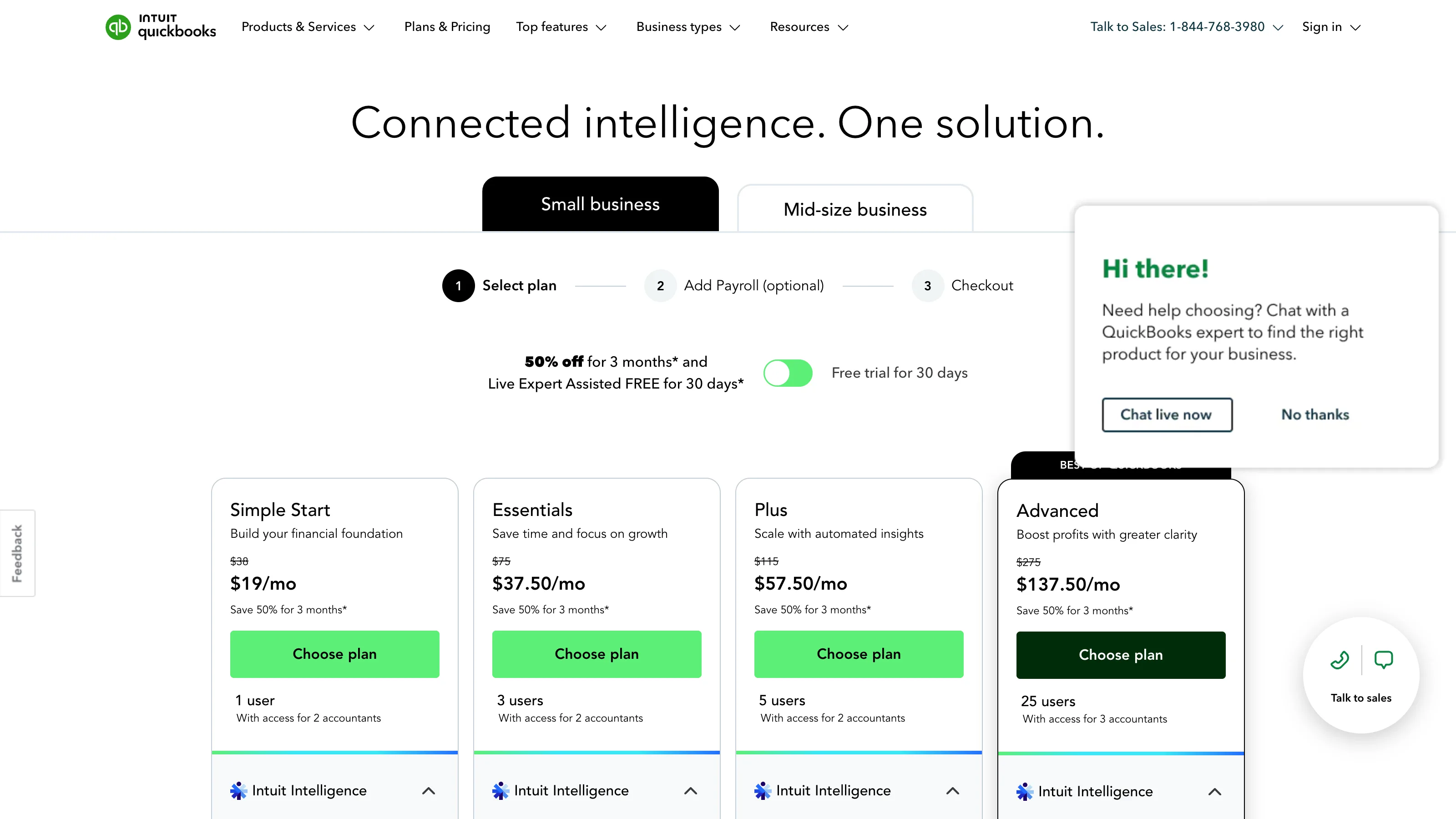
| Plan | List price (US) | First-three-months discount | What you get |
|---|---|---|---|
| Simple Start | $35/mo | Often 50% off = $17.50/mo | 1 user, invoicing, expense tracking, mileage |
| Essentials | $65/mo | 50% off = $32.50/mo | 3 users, bill pay, time tracking |
| Plus | $99/mo | 50% off = $49.50/mo | 5 users, inventory, project profitability |
| Advanced | $235/mo | Variable discounts | 25 users, custom reporting, dedicated support |
The renewal sticker shock is real — every fall we hear from readers whose $17.50/mo Simple Start just jumped to $35/mo. Budget for the list price from day one. Annual billing cuts roughly 10%.
How we tested
- Account: paid Simple Start, upgraded mid-test to Essentials to evaluate the 3-user tier.
- Duration: 365 days active (Apr 2025 – Apr 2026), one full tax year.
- Workflow: solo consulting practice with monthly reconciliation by a part-time bookkeeper, 150+ transactions/month across business checking, Stripe, one business card, and a Wise business account for international income.
- What we measured: reconciliation time vs FreshBooks (previous 2 years), accuracy of Stripe/Wise feed imports, ease of handing off to an accountant at tax time, support quality on 3 real tickets, mobile usability for entering mileage and quick invoices on the go.
- What we did NOT test: QBO Advanced’s custom reporting, QuickBooks Payroll at any depth (separate review), QBO Canada (priced differently, different CJ program), or QuickBooks Desktop (Intuit is sunsetting it, not worth evaluating).
The competition
We evaluated alternatives and here’s why each didn’t replace QBO for practices with real accounting needs:
- Xero — cleaner UI, better multi-currency handling, dominant outside North America. Loses for US operators on one thing: bank feeds are noticeably spottier than QBO’s here. For Canadian, UK, Australian, or NZ practices, Xero is arguably the better pick and your accountant may prefer it. In the US, QBO’s moat holds.
- FreshBooks — the right tool for solo freelancers who invoice-and-track-expenses. Loses on depth: no real inventory, no multi-state sales tax, no accountant-facing workflow beyond CSV exports.
- Wave — genuinely free for accounting and invoicing. Loses on: no accountant-facing workflow, no inventory, limited support. Right answer for pre-revenue operators or side hustles under $20k/yr.
- Zoho Books — included on Zoho One ($37/user/mo) if you’re already in that ecosystem. Loses for everyone else; not enough to justify leaving Zoho-world for.
- Manager (free desktop) — real double-entry accounting, free, local. Loses on: no bank feeds, no cloud sync without the paid Cloud edition, your accountant won’t know what to do with it.
What to look forward to
Intuit continues to bundle QBO with Mailchimp and TurboTax for small-business packages. If you’re on QBO plus multiple Intuit products, expect bundled pricing that beats à la carte. Support has been slowly improving since the 2023 reorg; we’ll re-review quality in 2026. What we won’t see: a material UX overhaul. That ship has sailed.
Verdict
Conditional. Pick QBO if you have (or are close to hiring) a bookkeeper, or if your business complexity — inventory, multi-state sales tax, payroll, multi-currency — genuinely demands it. Start with FreshBooks or Wave until that’s true. Pick Xero if you’re outside North America or your accountant specifically prefers it.
What we won’t do is pretend QBO is a good consumer-software experience. It isn’t. It’s the right answer because of ecosystem lock-in around accountants, banks, and payroll providers — not because the product itself is well-designed. Budget for the learning curve, and use your accountant’s ProAdvisor support line, not the general one.
Inside the product
3 features we looked at
Apr 2026 · vendor App Store listing + press assets
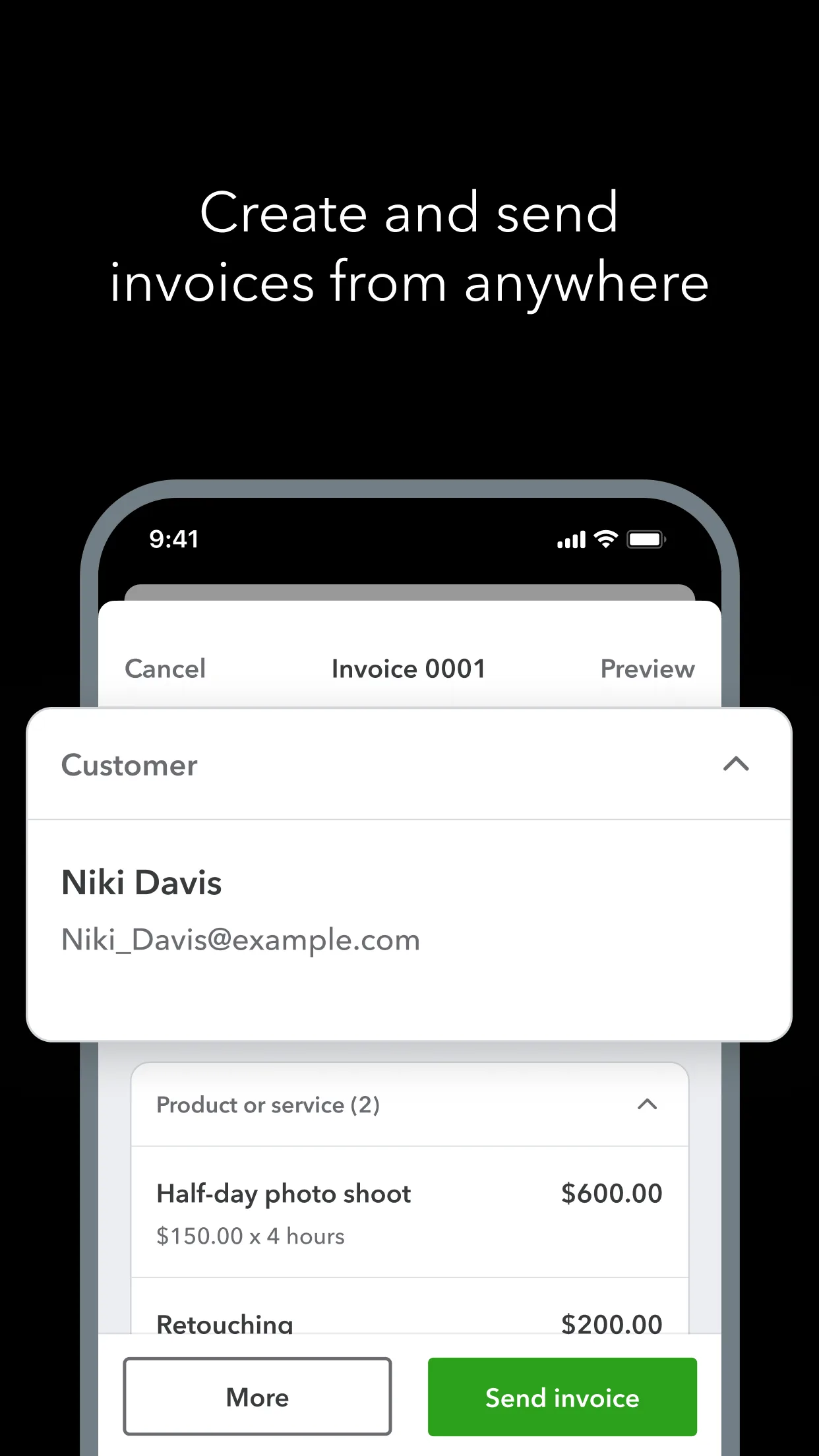
Invoicing
Create and send invoices on the go — the one QBO flow that stays polished.
Source ↗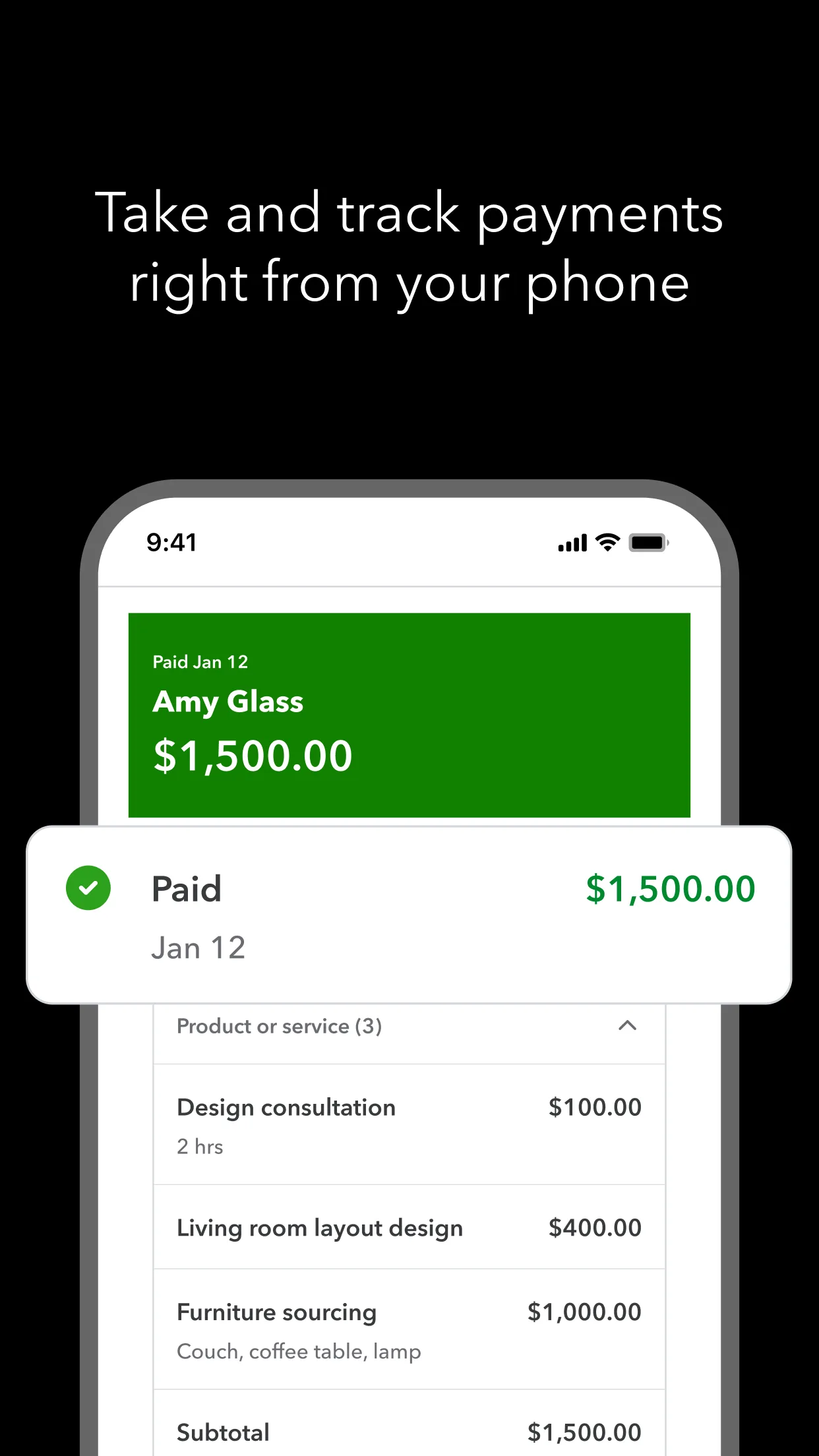
Payments
Take card or ACH payments tied to the invoice. Status updates push back to the books.
Source ↗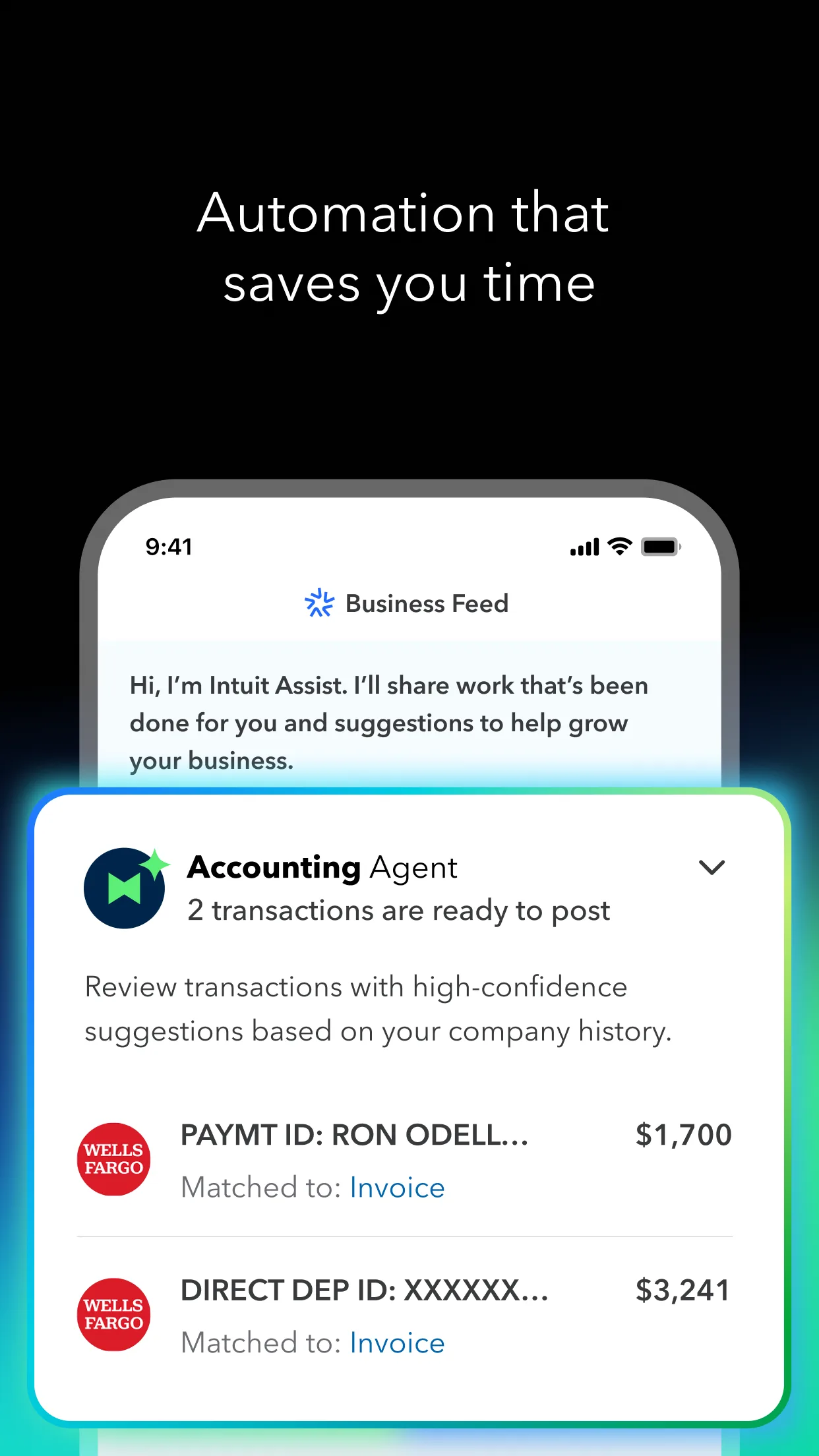
Automated books
Expense categorization + receipt matching running in the background. Less of the bookkeeping grind.
Source ↗