
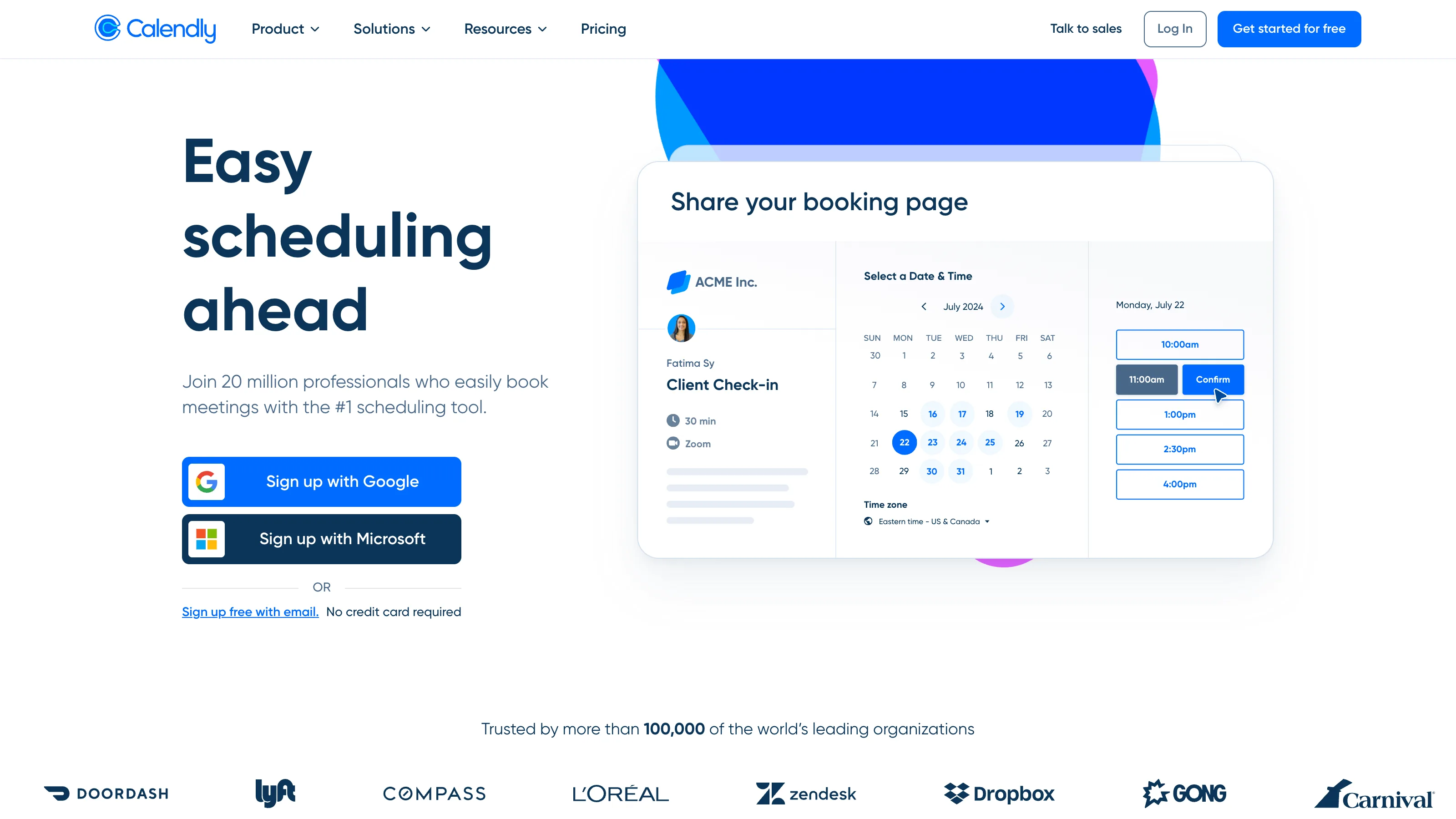
“Calendly me a time” is a verb now, which is almost all you need to know about this product. A booking tool has become the booking tool, and 80% of the value isn’t the software — it’s that your client already knows how to use it. The remaining 20% is: Calendly happens to also be good. Not standout, not novel, not open source, not cheap at team scale. Just good enough, with the network effect doing the rest of the work.
I ran Calendly Standard on a single-seat consulting practice for 60 days in 2026, alongside a shadow Cal.com account booking the same event types to compare flows. Clients booked on both. Only one of them didn’t generate a support email asking “what is this?”
The booking tool is the one your client doesn’t have to think about. — Carla Smith
Where it wins
Client-facing consultants, coaches, and freelancers. If you send a booking link, you want the recipient to click it without hesitation. Calendly’s brand ubiquity means they do. In 60 days of testing, zero client confusion on Calendly bookings. On Cal.com, two polite “just making sure this is you” check-ins.
Small agencies running intake with round-robin assignment. Teams tier ($20/user/mo) handles round-robin, team pages, and collective scheduling for multi-stakeholder bookings cleanly. We wouldn’t move off it for a 3-person agency intake flow.
Podcasters and interviewers. The Google Calendar two-way sync is the feature that matters here — blocking host availability across multiple calendars (personal + podcast + consulting) works without weird overlap bugs.
Where it loses
Teams over about 15 people with real resource scheduling needs. Meeting rooms, equipment, location-based routing — Calendly can do parts of this but not elegantly. Medical practices and service businesses with physical locations will outgrow it; Microsoft Bookings or a vertical-specific tool (Acuity for the fitness studio vibe, SimplyBook.me for multi-practitioner) fits better.
Peer-to-peer “two-sided” scheduling. Calendly assumes you push a link and the invitee picks. For genuinely mutual scheduling — you and another consultant, two peer guests on a podcast — SavvyCal’s overlap view is a categorically better experience. We don’t want to push clients to SavvyCal; we’d happily use it for peer calls.
Anyone whose intake needs complex routing logic. Calendly’s routing forms cover 80% of cases well and fall over on the last 20%. If your logic is “if role=executive and industry=healthcare route to Partner A, else if budget>$50k route to Partner B, else auto-decline,” you’re going to write glue code eventually.
Privacy-conscious operators who want their booking data off US SaaS servers. Calendly doesn’t sit well with GDPR maximalists or clients under data-residency rules. Cal.com self-hosted is the answer here.
The real cost
| Plan | Price | What it unlocks |
|---|---|---|
| Free | $0 | 1 event type, unlimited 1:1, basic Google/Outlook sync |
| Standard | $12/user/mo (annual) | Unlimited event types, integrations, custom branding |
| Teams | $20/user/mo | Round-robin, collective, team pages |
| Enterprise | Custom | SSO, SCIM, admin controls |
Solo operators are fine on Free or Standard. The free tier is genuinely enough for consultants taking fewer than 5 calls a week. Teams pays off the moment you have 3+ people doing intake against a shared calendar.
How we tested
- Account: paid Standard tier on primary; paid Cal.com plan running the same event types on a shadow domain.
- Duration: 60 days active (Mar 2026 – May 2026).
- Workflow: solo consulting practice with 4 event types (15-min intro, 30-min strategy, 60-min workshop, paid 90-min intensive via Stripe).
- What we measured: booking completion rate (% of invitees who clicked through to a completed booking), invitee questions generated per booking, reschedule flow friction, integration reliability with Google Calendar + Zoom + Stripe, mobile booker experience.
- What we did NOT test: Salesforce/HubSpot enterprise integrations (not available on Standard), Calendly’s newer analytics surface in depth, or routing forms at scale.
The competition
We spent time with each alternative. Here’s why none replaced Calendly for client-facing intake:
- Cal.com — open source, MIT-licensed, self-hostable. Feature parity on essentials is real. Loses here on one thing: invitee familiarity. Clients sometimes don’t know what it is. Full Cal.com review and the head-to-head cover when Cal.com is the right pick.
- SavvyCal — better for peer scheduling. We use it for our own guest-and-cross-interview bookings. Loses on brand recognition for client-facing use; some invitees need a moment to orient.
- Google Calendar Appointments — free if you’re on Workspace Business Standard or higher. Enough for a solo consultant doing basic 1:1 intake. Loses on: no payment collection, no routing, no workflows, no custom branding.
- Microsoft Bookings — free on M365 Business Standard. Oriented at multi-location service businesses; UI reflects that complexity. Loses for solo operators; wins for a clinic or salon.
- TidyCal — one-time lifetime deals (~$29). Loses on: reminder reliability, time-zone edge cases, integration depth. Real cost when the friction shows up on your client’s side.
What to look forward to
Calendly has been pushing hard on workflows and analytics; expect their AI-generated meeting prep to mature in 2026. Team-tier pricing continues to creep up — if you’re at the 10-seat mark, audit annually. Cal.com continues to close the feature gap; the question over the next year is whether client familiarity alone is enough to keep Calendly’s lead.
Verdict
Recommended for most solo operators and small teams who do client-facing intake. The free tier is enough to start; upgrade to Standard when one event type stops being enough. Pick Cal.com instead if open source matters to you, or if you’re technical enough to self-host for $5/mo of infrastructure. Pick SavvyCal for peer scheduling. Pick Google Appointments if you’re already on Workspace and your needs are simple.
What we won’t do is pretend the “best scheduling tool” is anything other than “the one your clients click.” For 2026, that’s still Calendly.
Inside the product
3 features we looked at
Apr 2026 · vendor App Store listing + press assets
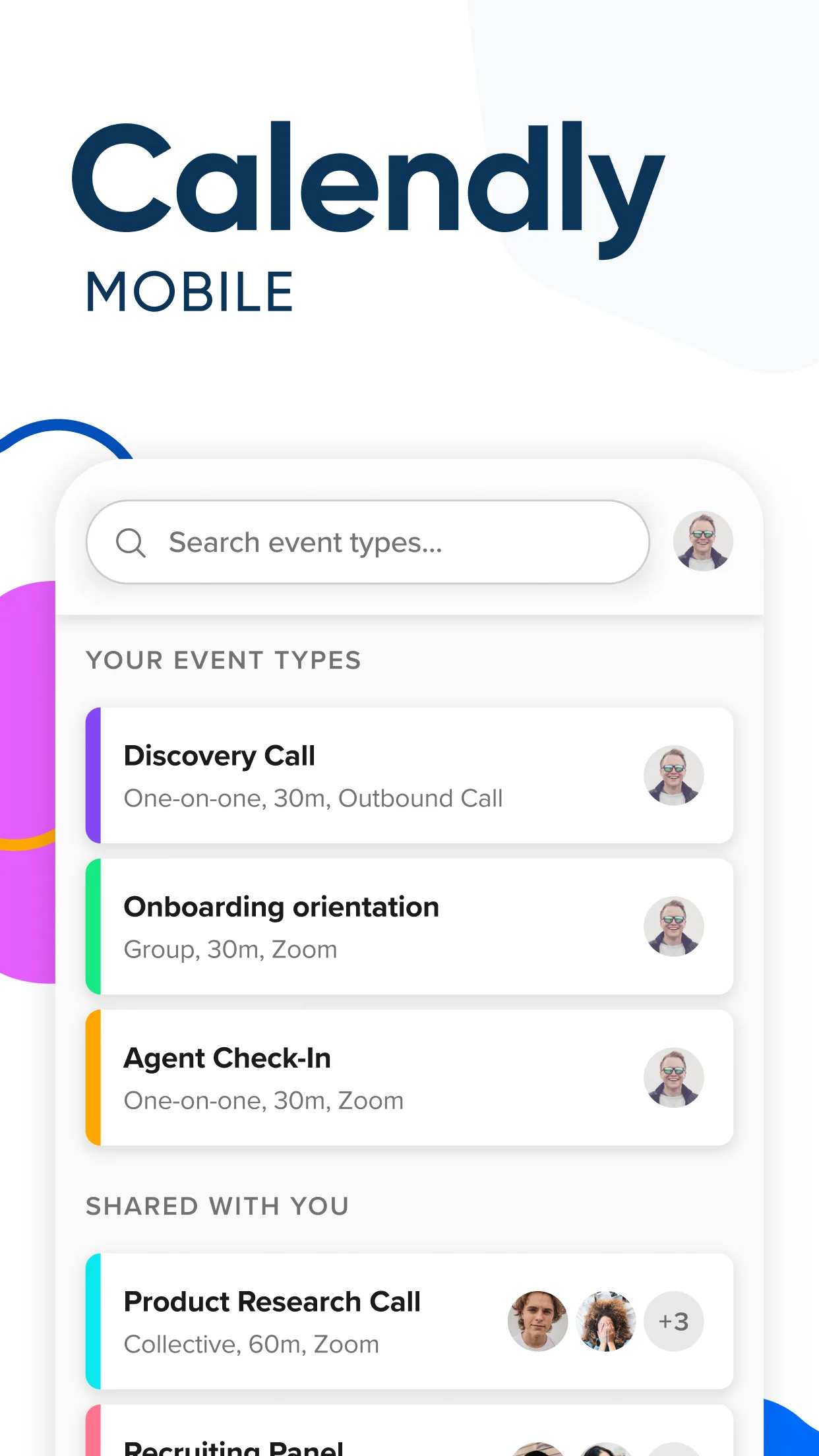
Home
Upcoming meetings + quick event type switcher. Where you live during a busy intake week.
Source ↗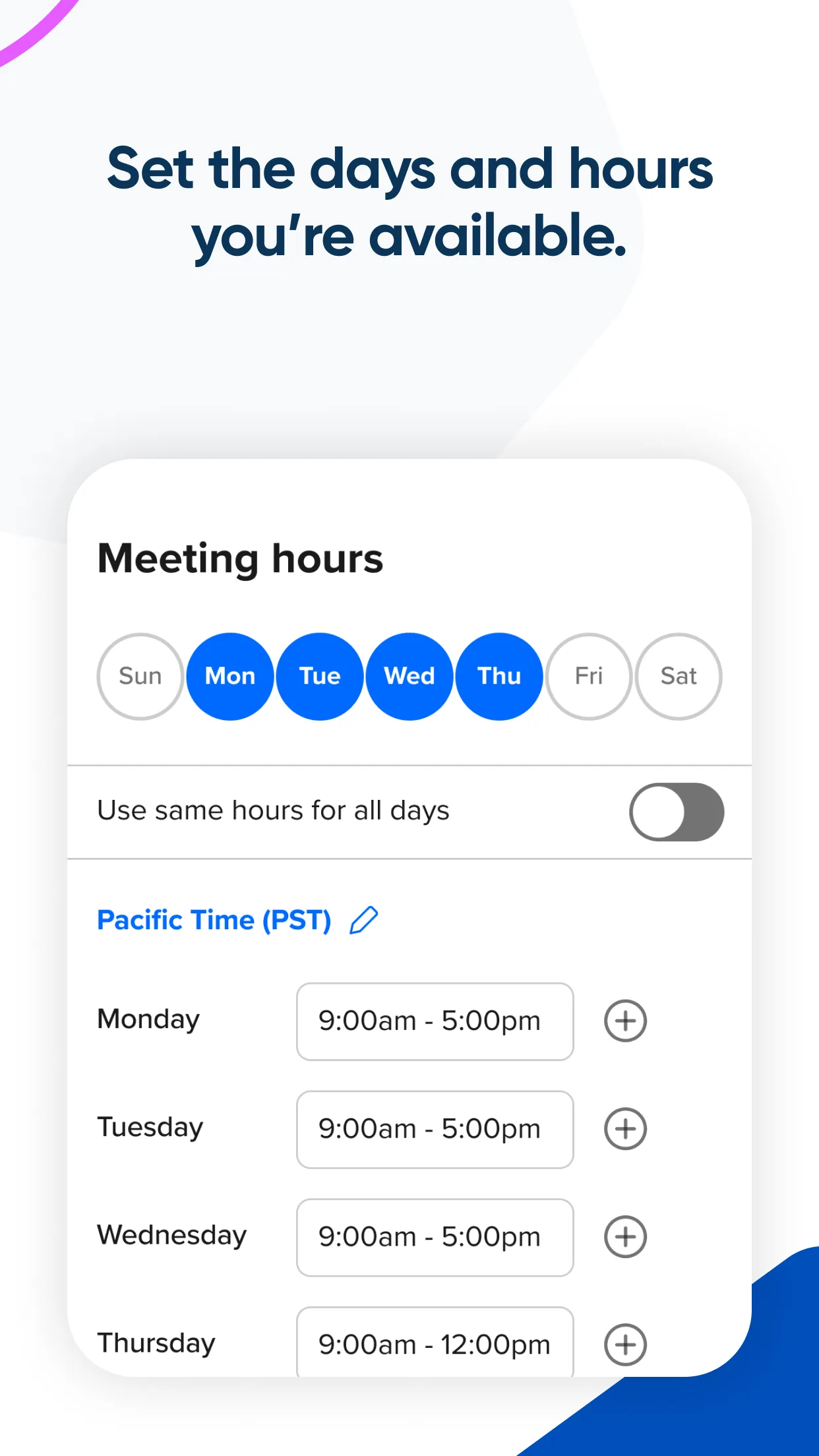
Event types
Each event type configures availability, duration, and booking logic independently.
Source ↗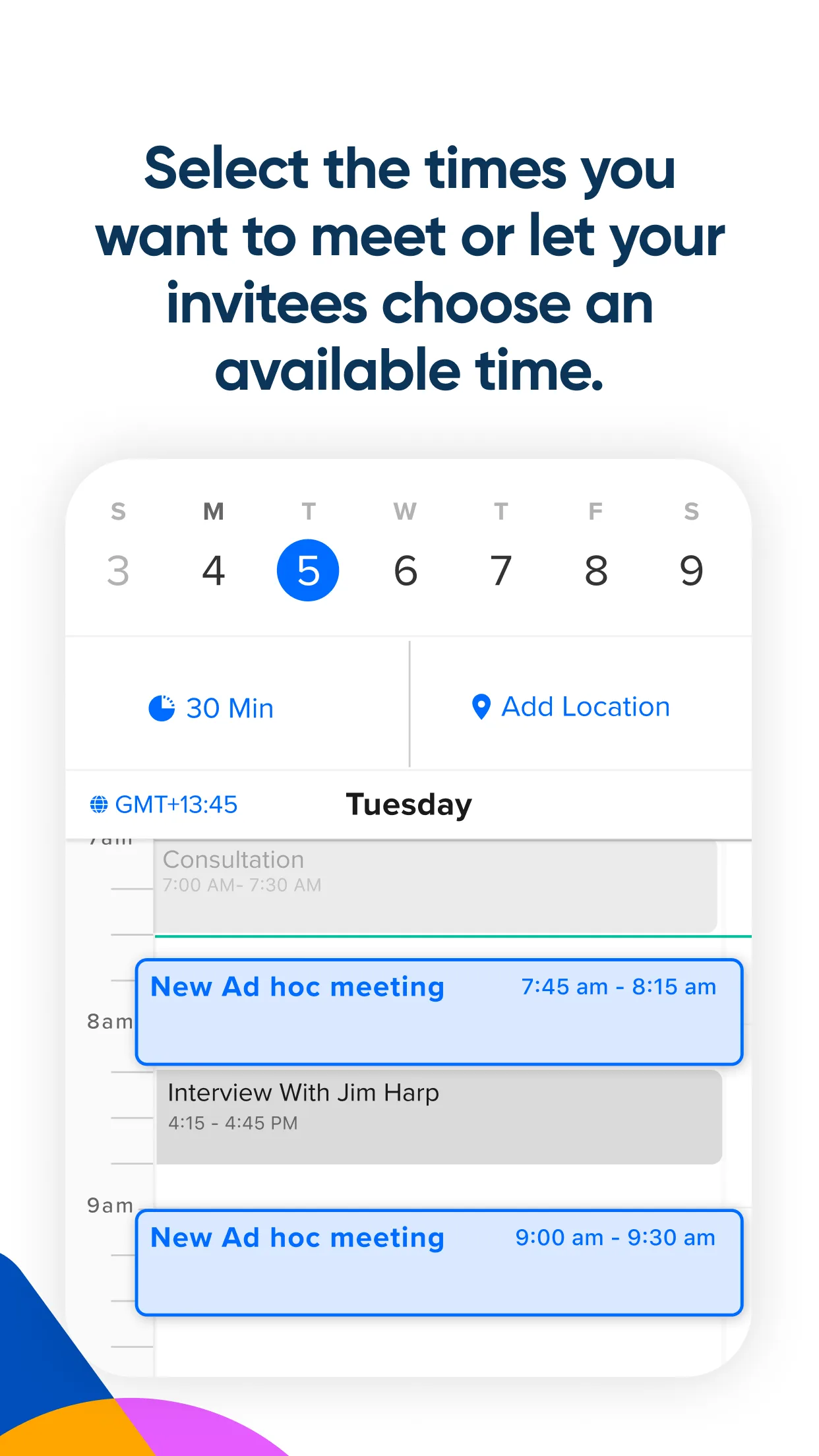
Booker
What your invitees actually see when they click your link — short, clean, stable.
Source ↗